The Message Bible3.3.1
Publisher Description
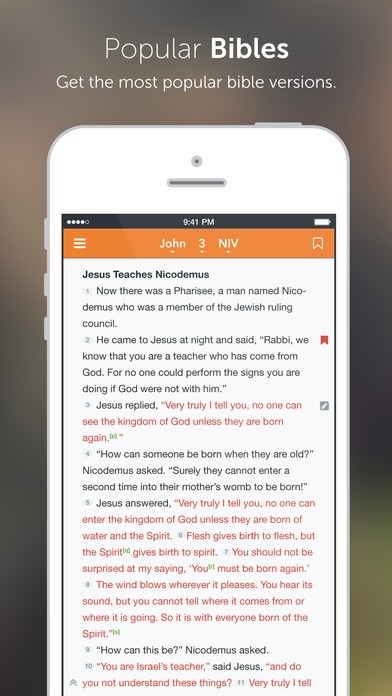
Bible Reader featuring The Message Bible in fully formatted text pre-loaded and ready to use even when the Internet is unavailable. Navigate by book, topic, passage, search and more. Other versions are available for download within this app.
FEATURES:
* Get the most popular Bible versions
* Download Bibles for offline use
* Write and Title notes
* Highlight Bible verses in multiple colors
* Backup and Sync notes, highlights, and bookmarks to just1word.com and iOS devices
* Enjoy devotional reading plans
* View fully formatted Bible text
* See words of Jesus in red (most versions)
* Navigate the Bible quickly and easily
* Explore the Bible by topics, stories and more
* Save bookmarks
* Read publisher footnotes
* Share verses and links by email, facebook and twitter
* Disable auto-lock
* Sort notes and highlights
* Keep track of your history
* Take advantage of external display support
* Sync purchases with your free just1word account
* Select Multiple Verses
SMART SEARCH:
* Fast and easy
* Most relevant results first
* Search the Bible by topic, passage or phrase
* Filter results to find things fast
ENGLISH BIBLE VERSIONS:
AMP - Amplified Bible
ASV - American Standard Version
CEV Contemporary English Version
DRB - Douay Rheims Bible
ESV - English Standard Version Bible
GNT Good News Translation
GNTCE Good News Translation Catholic Edition
HCSB - Holman Christian Standard Bible
KJV - King James Version Bible
MSG - The Message Bible
NABRE - New American Bible Revised Edition (In-App Purchase)
NASB - New American Standard Bible
NCV - New Century Version Bible
NIrV - New International Readers Version
NIV - New International Version Bible
NIVUK New International Version Anglicised
NKJV - New King James Version Bible
NLT - New Living Translation Bible
NRSV - New Revised Standard Version (In-App Purchase)
NRSVCE - New Revised Standard Version Catholic Edition (In-App Purchase)
RSV - Revised Standard Version (In-App Purchase)
RSVCE - Revised Standard Version Catholic Edition (In-App Purchase)
VERSIONES ESPA OL SANTA BIBLIA:
DHH Dios Habla Hoy
LBLA - La Biblia de las Am ricas
NBLH - Nueva Biblia Latinoamericana de Hoy
NVI - La Versi n Nueva Internacional
RVA - Reina Valera Antigua
RVR60 - Reina Valera 1960
RVR95 Reina Valera 1995
TLA - Traduccion en Lenguaje Actual
OTHER BIBLE VERSIONS:
AA - Jo o Ferreira de Almeida Atualizada
ACF - Sinta-se portugu s Corrigida (1753/1995)
ARB -
CUV -
CUVS -
DELUT - Elberfelder Bibel
IRV - Versione Italiana Riveduta (1990)
KOU - -
KOR -
LND - La Nuova Diodati 1991
LSG - Louis Segond 1910
RUSV -
SVEN - Svenska Bibeln
SV1750 - StatenVertalings 1715 Bijbel
UKR -
Also available in form of subscription:
GLOBAL CONNECTION POINT - $0.99 weekly
Price may vary by location. Subscriptions will be charged to your credit card through your iTunes account. Your subscription will automatically renew unless canceled at least 24 hours before the end of the current period, and identify the cost of the renewal. You will not be able to cancel the subscription once activated. Manage your subscriptions in Account Settings after purchase.
Requires iOS 7.0 or later. Compatible with iPhone, iPad, and iPod touch.
About The Message Bible
The company that develops The Message Bible is Just1Word, Inc.. The latest version released by its developer is 3.3.1.
To install The Message Bible on your iOS device, just click the green Continue To App button above to start the installation process. The app is listed on our website since 2012-01-05 and was downloaded 3 times. We have already checked if the download link is safe, however for your own protection we recommend that you scan the downloaded app with your antivirus. Your antivirus may detect the The Message Bible as malware if the download link is broken.
How to install The Message Bible on your iOS device:
- Click on the Continue To App button on our website. This will redirect you to the App Store.
- Once the The Message Bible is shown in the iTunes listing of your iOS device, you can start its download and installation. Tap on the GET button to the right of the app to start downloading it.
- If you are not logged-in the iOS appstore app, you'll be prompted for your your Apple ID and/or password.
- After The Message Bible is downloaded, you'll see an INSTALL button to the right. Tap on it to start the actual installation of the iOS app.
- Once installation is finished you can tap on the OPEN button to start it. Its icon will also be added to your device home screen.
